The operator console
Every admin page in the order you meet them - readiness, keys and models, budgets, users, runs, takedowns, analytics, the audit log.
The app is what your users see. This is the other half: the back
office of a self-hosted deployment, for whoever owns the keys, the bill and
the blast radius. It lives at /admin, and the link to it appears in the app
sidebar only for an account whose profiles.role is admin. Every page and
every action re-checks that role on the server; a normal user who types the
URL is redirected to /app, and a signed-out visitor to /login.
Nothing here shows an API key. Keys are reported as present or absent, and as coming from the environment or from the console, never as a value.
Every screenshot below comes from a real local deployment, generated by
npm run media and regenerated on every release. They are not in the
live demo: it refuses /admin on
purpose.
/setup - is this deployment ready
Start here on a fresh deployment. /setup reads the same payload as
/api/health, adds one live Inngest probe, and prints one row per thing that
has to be true before a run can work.
It is reachable with no sign-in in exactly one case: the profiles table was
read successfully and is empty, meaning nobody has signed up yet and there is
no admin to authenticate as. In every other case - accounts exist, or the
probe failed for any reason - it asks for an admin. A database error is never
treated as "fresh deployment".
You open it before anything else: what this deployment needs, what it already has, and the exact fix for anything missing. No value on the page is a secret - every row is presence, not the key itself.
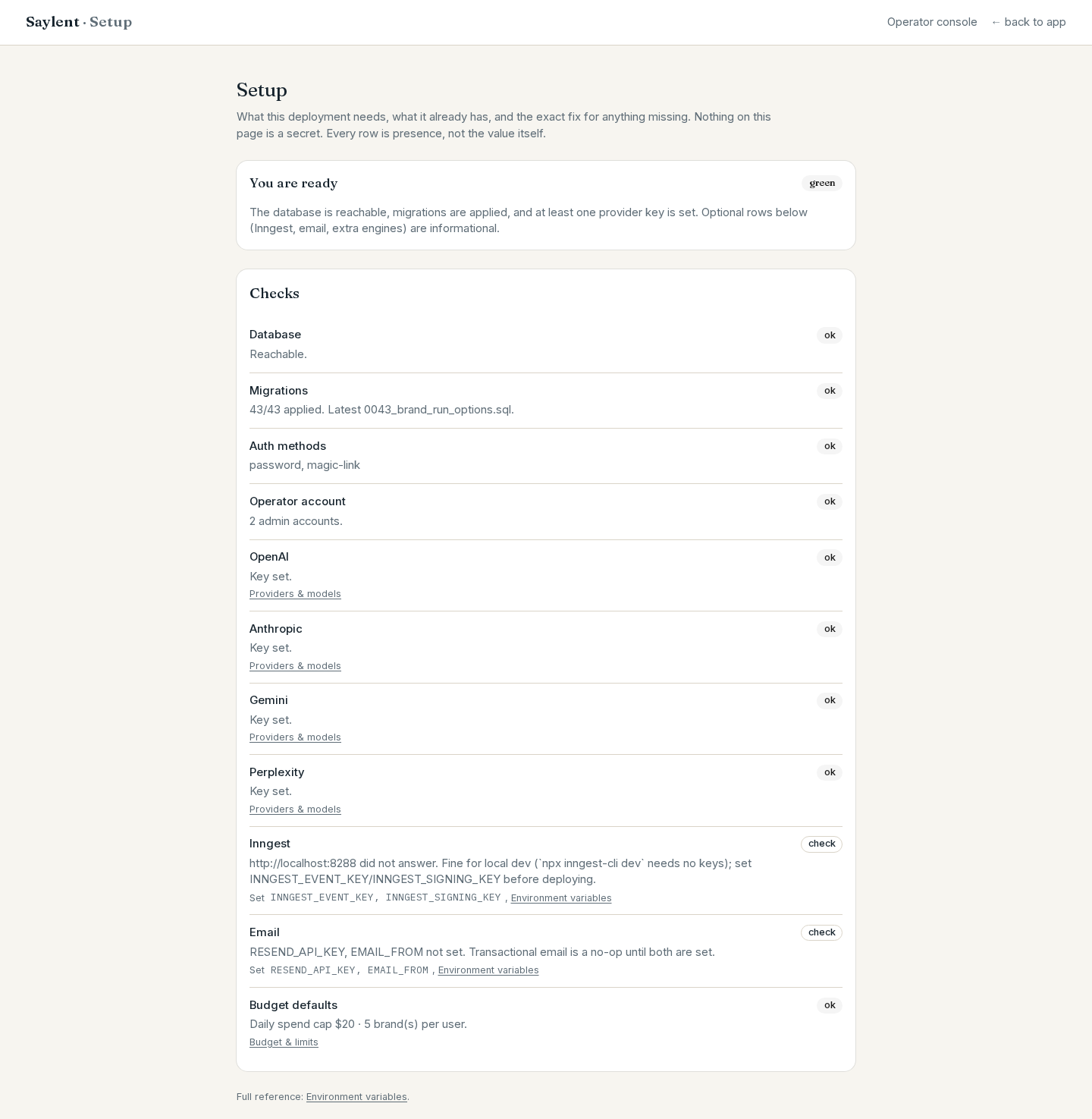
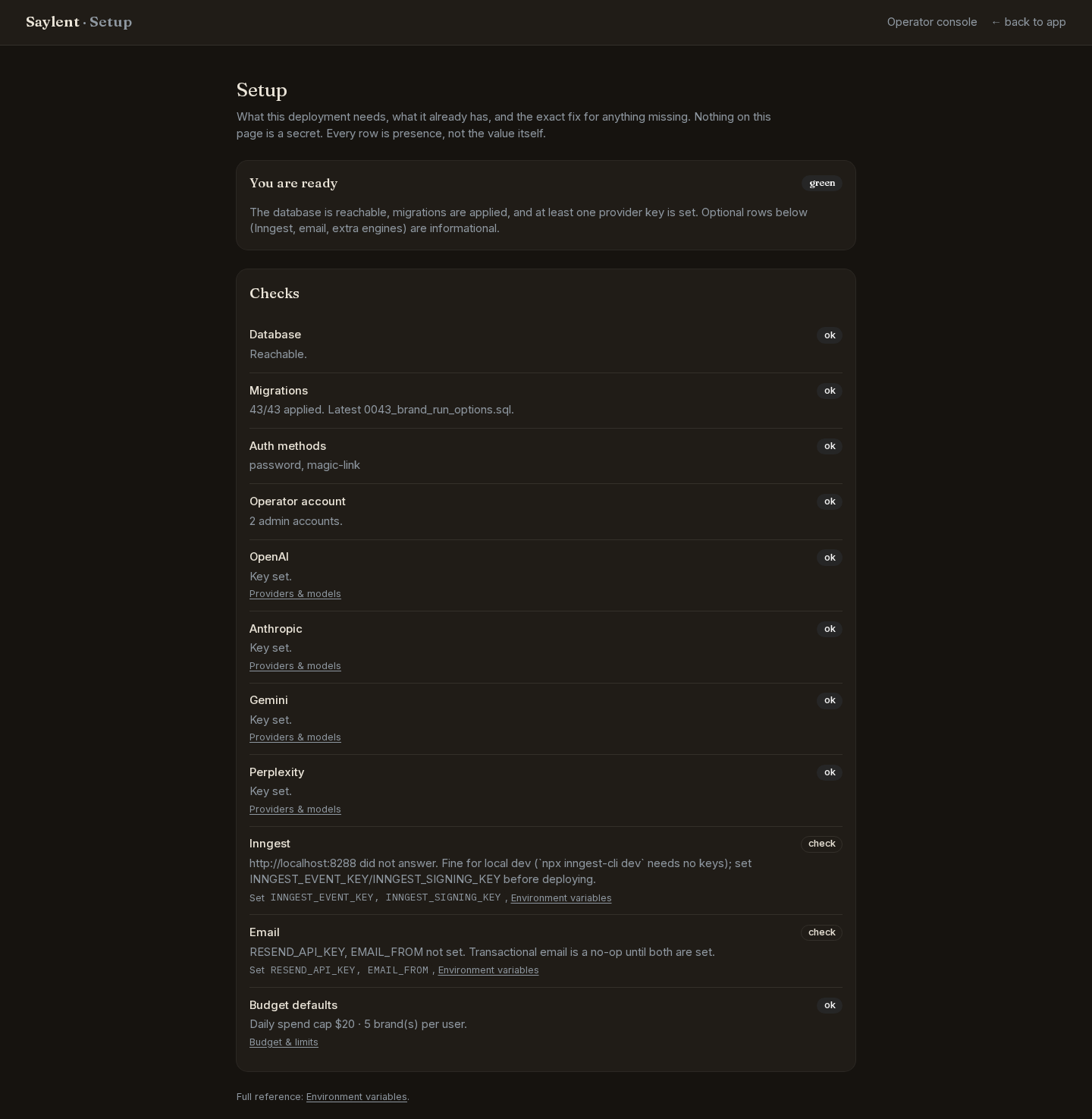
Each row carries one of three badges. ok is done. check is informational and does not block anything. missing is the only one that holds the page at "Not ready yet".
Row marked missing | What it means | The fix |
|---|---|---|
| Database | The app cannot reach Postgres through Supabase at all | Set NEXT_PUBLIC_SUPABASE_URL, SUPABASE_SERVICE_ROLE_KEY, DATABASE_URL |
| Migrations | Migration files exist that your database has not applied; the row names them | npm run db:migrate |
| Operator account | Accounts exist but none of them is an admin. Migration 0040 is still armed, so the next person who signs up becomes the operator of your deployment | Promote one of your own accounts now (see Users below) |
| OpenAI / Anthropic | Neither required key is set. One of the two is the minimum for any run | Set OPENAI_API_KEY or ANTHROPIC_API_KEY, or save one on Providers and models |
| Inngest | INNGEST_EVENT_KEY and INNGEST_SIGNING_KEY are set, but the endpoint did not answer | Check the keys and that the app is reachable from Inngest |
Rows marked check are worth reading and are not blockers: migrations not
checked because the database is down, "nobody has signed up yet" (make sure
the first account is yours), an optional answer engine with no key, Inngest
unreachable with no keys configured (normal for local dev, where
npx inngest-cli dev needs none), and RESEND_API_KEY / EMAIL_FROM unset,
which makes every transactional email a no-op.
Auth methods and budget defaults are always shown as ok. They are there so you can read back what this deployment is actually running with.
Providers and models
/admin/providers changes which API keys and which models the deployment runs
on, with no redeploy.
Three rules the page exists to make visible:
- The environment wins. A key set as an environment variable is read-only here and says so. The console can fill a gap; it can never override a deploy-time decision.
- A key is never shown again. The list has three states and no others:
present (env),present (console),absent. - Every change is audit-logged, as
provider.key_set,provider.key_removedorprovider.models_set.
You see which of the four provider keys this deployment has and where each one came from; a key set in the environment always wins and cannot be edited here.
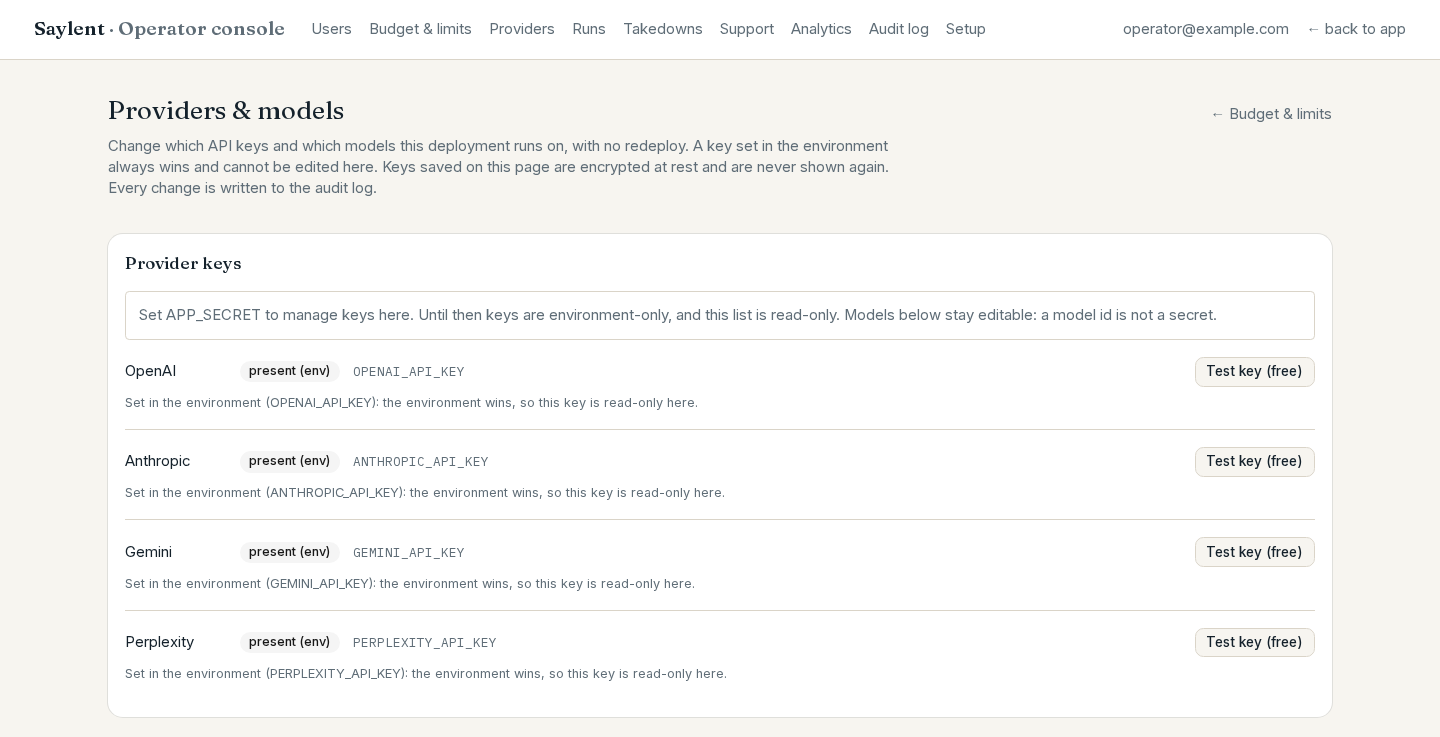
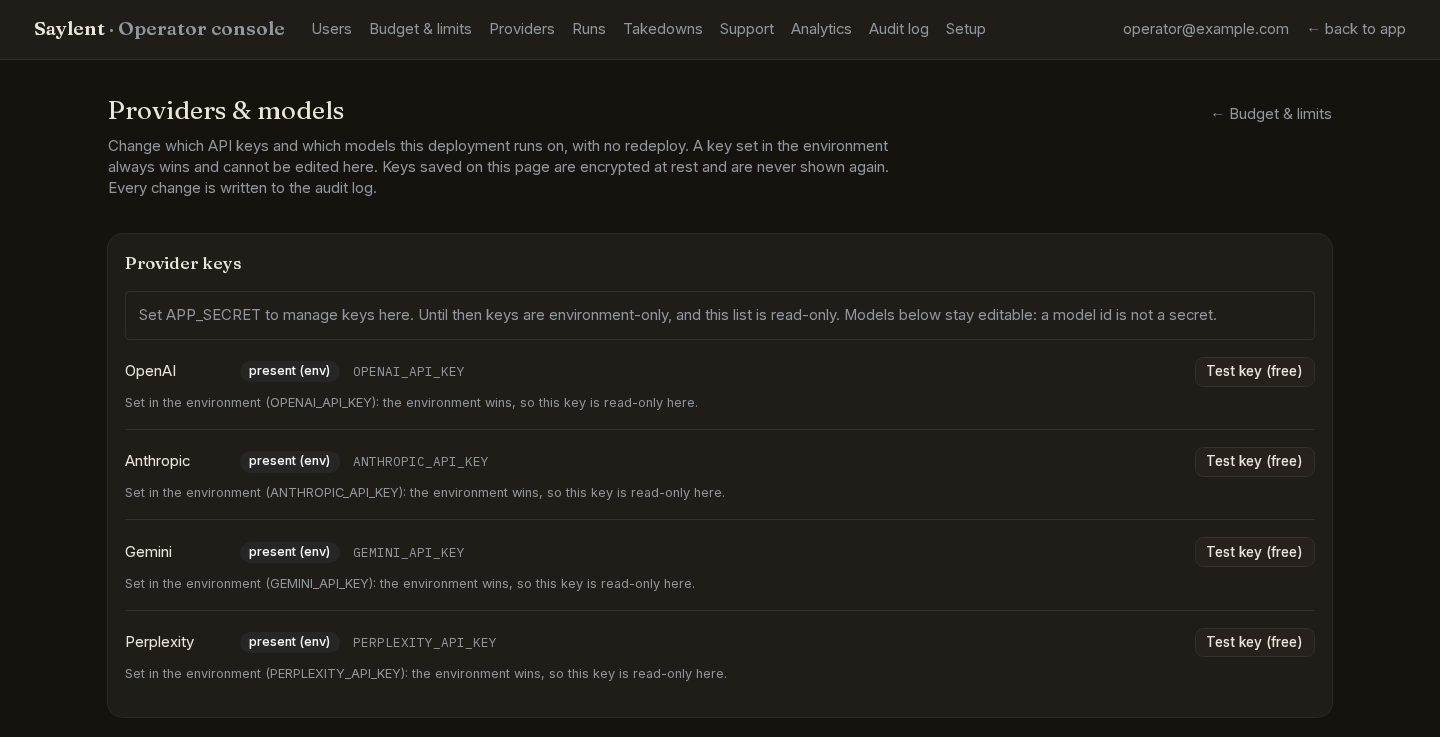
Keys from the environment, keys from the console
Saving a key here needs APP_SECRET, the pgcrypto passphrase that encrypts it
at rest. Generate one with:
openssl rand -hex 32It must be at least 16 characters. Unset, the key list is read-only and the page says so; set but too short, the page says that instead of surfacing a Postgres error. Models stay editable either way - a model id is not a secret.
APP_SECRET is never stored in the database. Losing or changing it makes
every console-saved key unreadable, and the deployment falls back to whatever
the environment provides.
Models per role
One row per role, each with the model in force, where that choice came from (env, console, or the shipped default), and the environment variable that overrides it. Saving requires a typed reason, which goes into the audit log. "Reset to defaults" is the same call with an empty map.
You change the model behind any single role - each answer engine, both judges, the brand model, the drafter - with no redeploy.
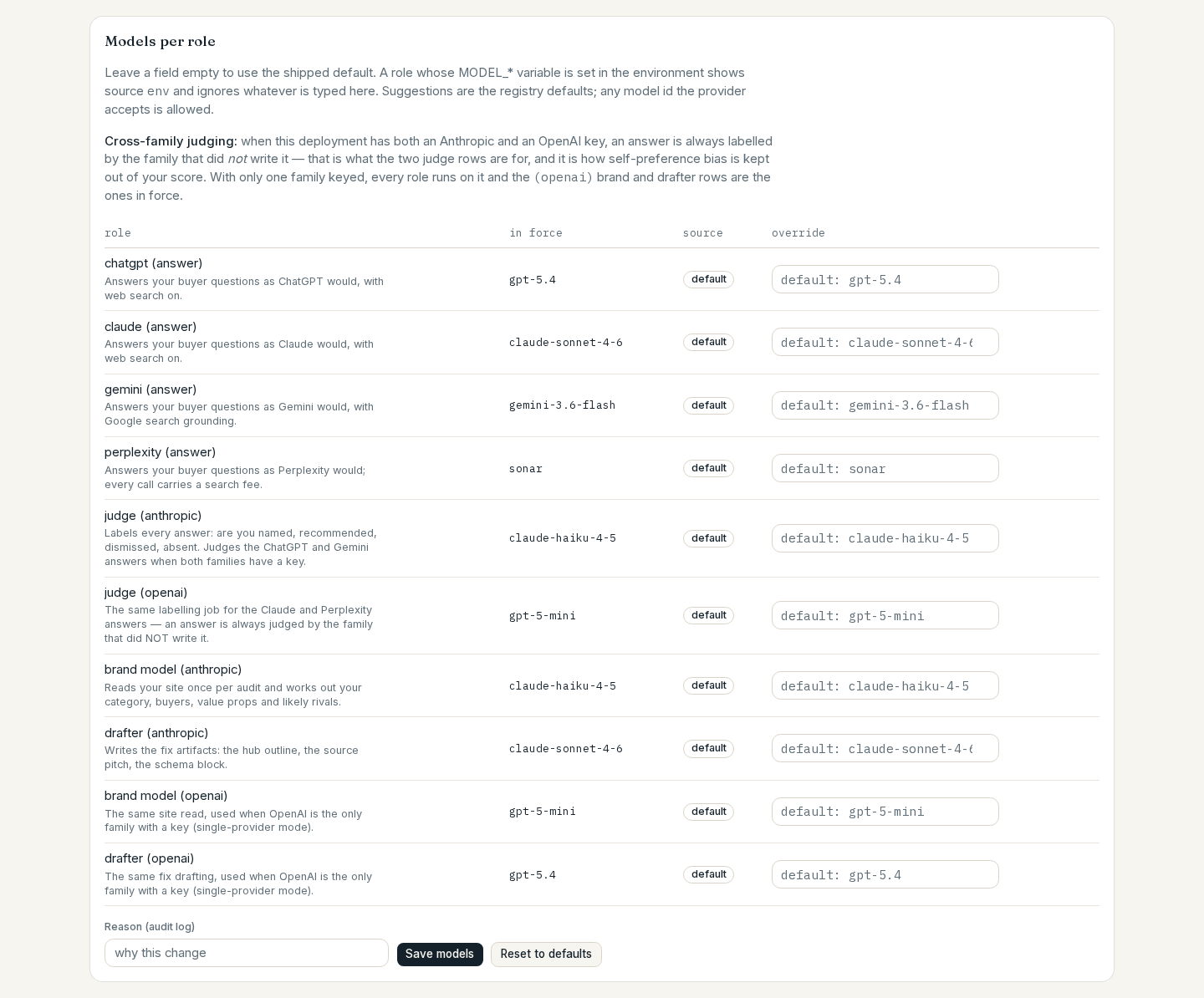
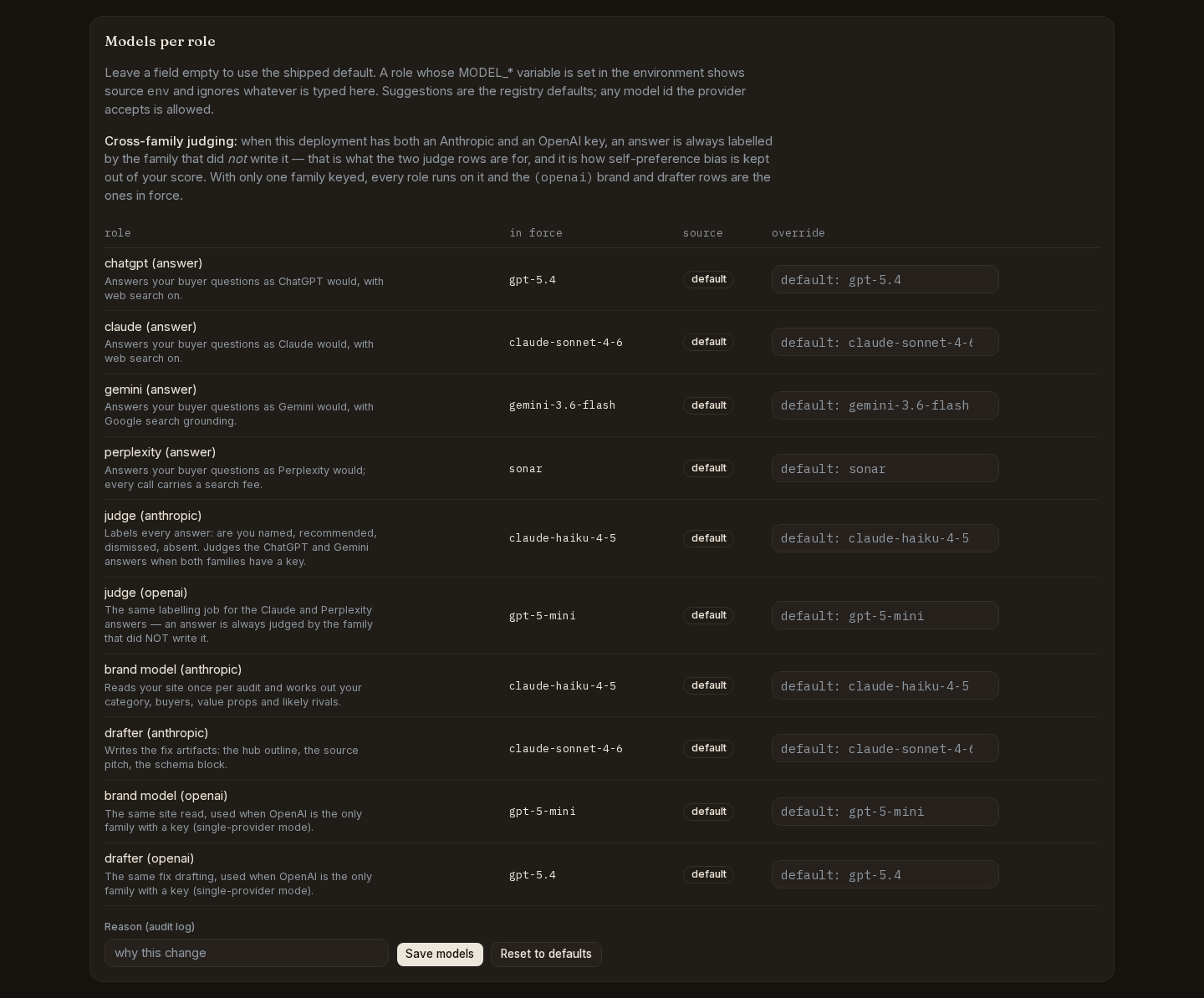
| Role | Env var | What the role does |
|---|---|---|
| chatgpt (answer) | MODEL_CHATGPT_ANSWER | Answers your buyer questions as ChatGPT |
| claude (answer) | MODEL_CLAUDE_ANSWER | Answers them as Claude |
| gemini (answer) | MODEL_GEMINI_ANSWER | Answers them as Gemini |
| perplexity (answer) | MODEL_PERPLEXITY_ANSWER | Answers them as Perplexity |
| judge (anthropic) | MODEL_JUDGE_ANTHROPIC | Scores an answer: mention type, prominence, sentiment. Cheap tier, not the answering model |
| judge (openai) | MODEL_JUDGE_OPENAI | The same job on the OpenAI side, so one family's answer is judged by the other |
| brand model (anthropic) | MODEL_BRAND | Builds the brand model once per audit, which is what the questions are generated from |
| drafter (anthropic) | MODEL_DRAFTER | Writes the copy-ready artifact for each top-ranked fix |
| brand model (openai) | MODEL_BRAND_OPENAI | The brand model when the OpenAI family serves that role |
| drafter (openai) | MODEL_DRAFTER_OPENAI | The drafter when the OpenAI family serves that role |
Which family serves the brand, drafter and judge roles depends on the keys you
have. Two keys give cross-family judging; one key runs every role on that
family and stamps the run judge_mode: single-family.
The Test key button
Each provider row has Test key (free), and the Providers card on /admin
has Test providers, which does the same for every configured key at once.
Both run the same check as saylent keys test:
- OpenAI, Anthropic and Gemini: one metadata request to the provider's models endpoint. It lists models, generates no tokens, and costs nothing.
- Perplexity: there is no free endpoint to call, so the key's format is
checked instead and the result reads
no free check, key format validated.
The result is a badge, either valid or the HTTP status that came back. The
key itself never reaches the browser, and a network error is redacted before
it is printed.
Budget and limits
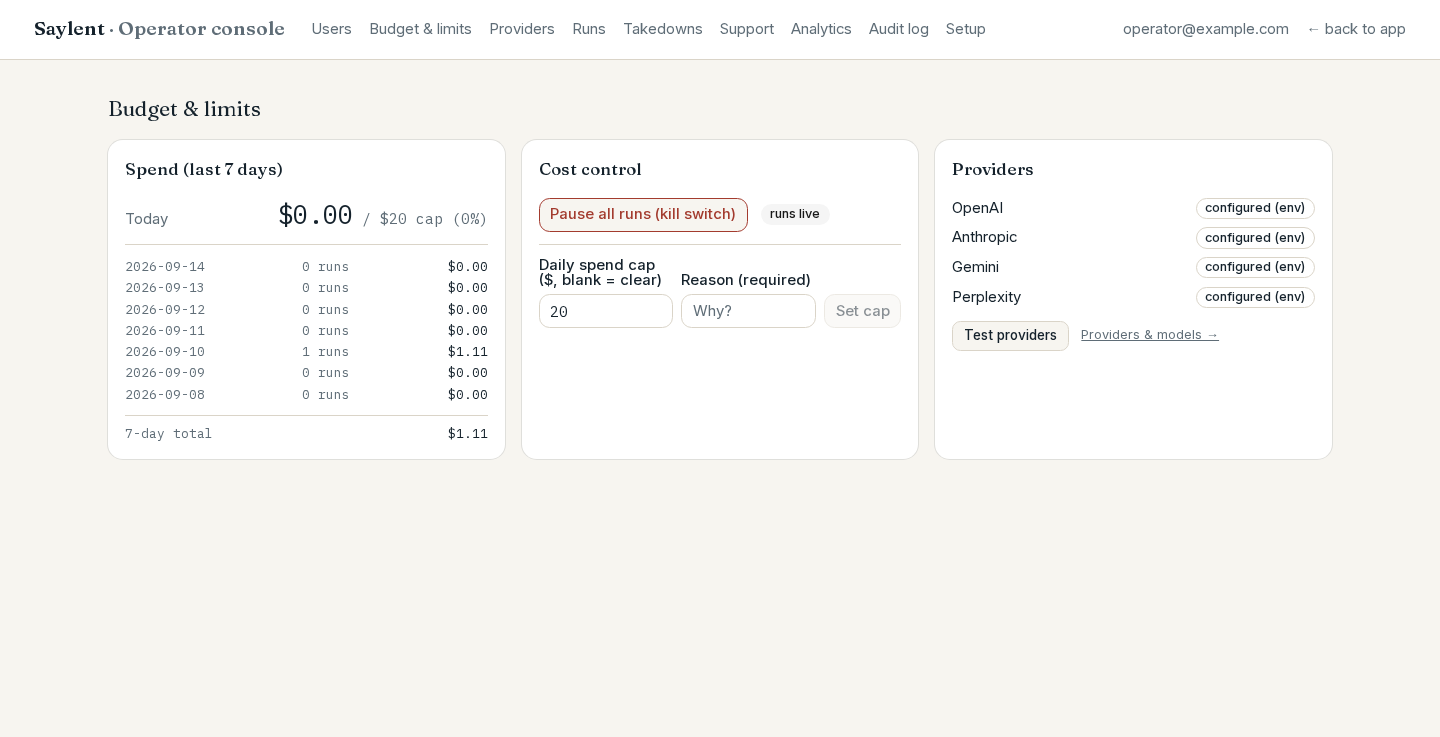
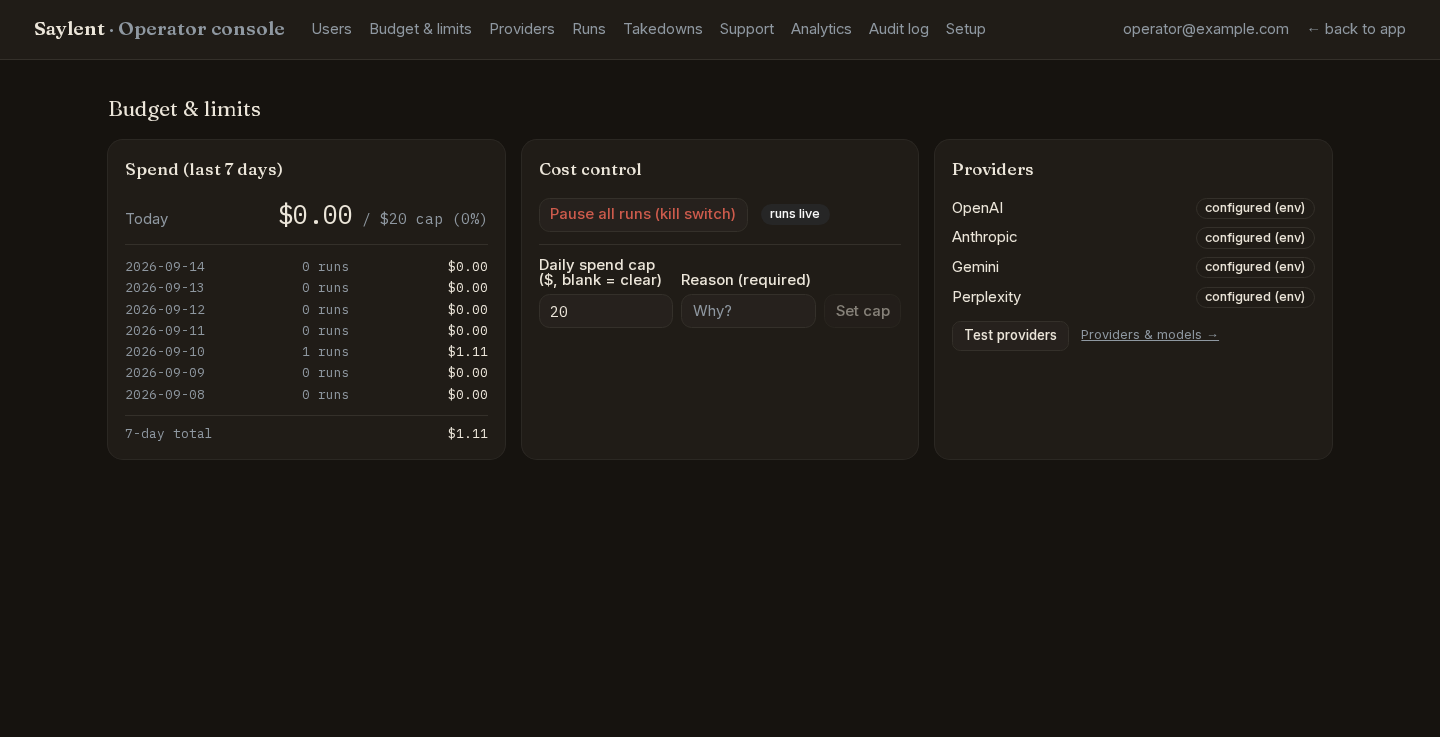
The /admin home is the money page. Three cards sit at the top.
Spend (last 7 days) shows today's realized spend against the cap with a
percentage, then one line per day for the last seven with the run count and
the total, then the seven-day total. A failed query says so rather than
rendering $0.00, because "nothing spent today" is exactly the wrong thing to
believe when a cap is still holding.
Cost control holds the kill switch and the daily cap form.
Providers shows which keys this deployment can use and where each one came from, with the Test providers button described above.
You set the daily spend cap for the whole deployment, watch what it has spent this week, and stop every run at once when you need to.
The daily spend cap
Set a number in USD and a reason, then press Set cap. Leave the field blank to
clear it. The value is stored in the database, so it takes effect on the next
run with no redeploy; DAILY_SPEND_CAP_USD (default $20) is the fallback
when nothing is stored. The change is written to the audit log as
spend.set_cap with your reason.
When the day's realized spend reaches the cap, the kill switch trips by itself and every further run is refused.
The kill switch
Pause all runs flips a flag that createRun checks before anything else,
so it stops every new run at once: a user pressing Run, a Retry on a failed
run, an operator re-run from the console, and the weekly and monthly
schedules. The user sees "Runs are temporarily paused", nothing is queued, and
nothing is spent. It takes effect immediately with no redeploy.
What it does not do is reach into a run that is already mid-pipeline. Those
steps are already dispatched and will finish. Both the pause and the resume
are audit-logged as runs.pause and runs.resume.
The throttles and the brand cap
These two are environment-only. They are shown read-only in the console so you can read back what is in force:
| Limit | Default | Env var |
|---|---|---|
| Audits per brand per window | 3 | RUN_THROTTLE_AUDITS |
| Verifies per brand per window | 3 | RUN_THROTTLE_VERIFIES |
| The window | 24 hours | RUN_THROTTLE_WINDOW_HOURS |
| Brands per account | 5 | BRAND_LIMIT |
The throttles are per brand and apply to every user on the deployment. There is no per-user override: this app has no plans and no credits, and these four numbers plus the spend cap are the whole quota system.
Users
The /admin home lists every account below the budget cards: email, total
spend, when they signed up, last activity, and an admin badge where it
applies. The search box filters by email or display name.
Who becomes an admin
The first account ever created on a deployment becomes the operator. Migration
0040 installs a trigger on profiles that promotes the first row to
role='admin', and it keeps doing that until an admin exists. It is race-safe
under a Postgres advisory lock, so two simultaneous signups still produce
exactly one admin.
That means a deployment with accounts but no admin is one stranger's signup
away from handing over the console. /setup reports that state as missing
for exactly this reason.
Promoting another admin
Later operators are promoted by hand, against the database:
npx tsx --env-file=.env.local scripts/grant-admin.ts someone@example.com adminPass user instead of admin to demote. The account has to have signed in at
least once, because the script updates an existing profiles row and refuses
when it finds none. It also refuses to run when VERCEL_ENV=production, so
promote against the database directly rather than through a production build.
What a user page shows
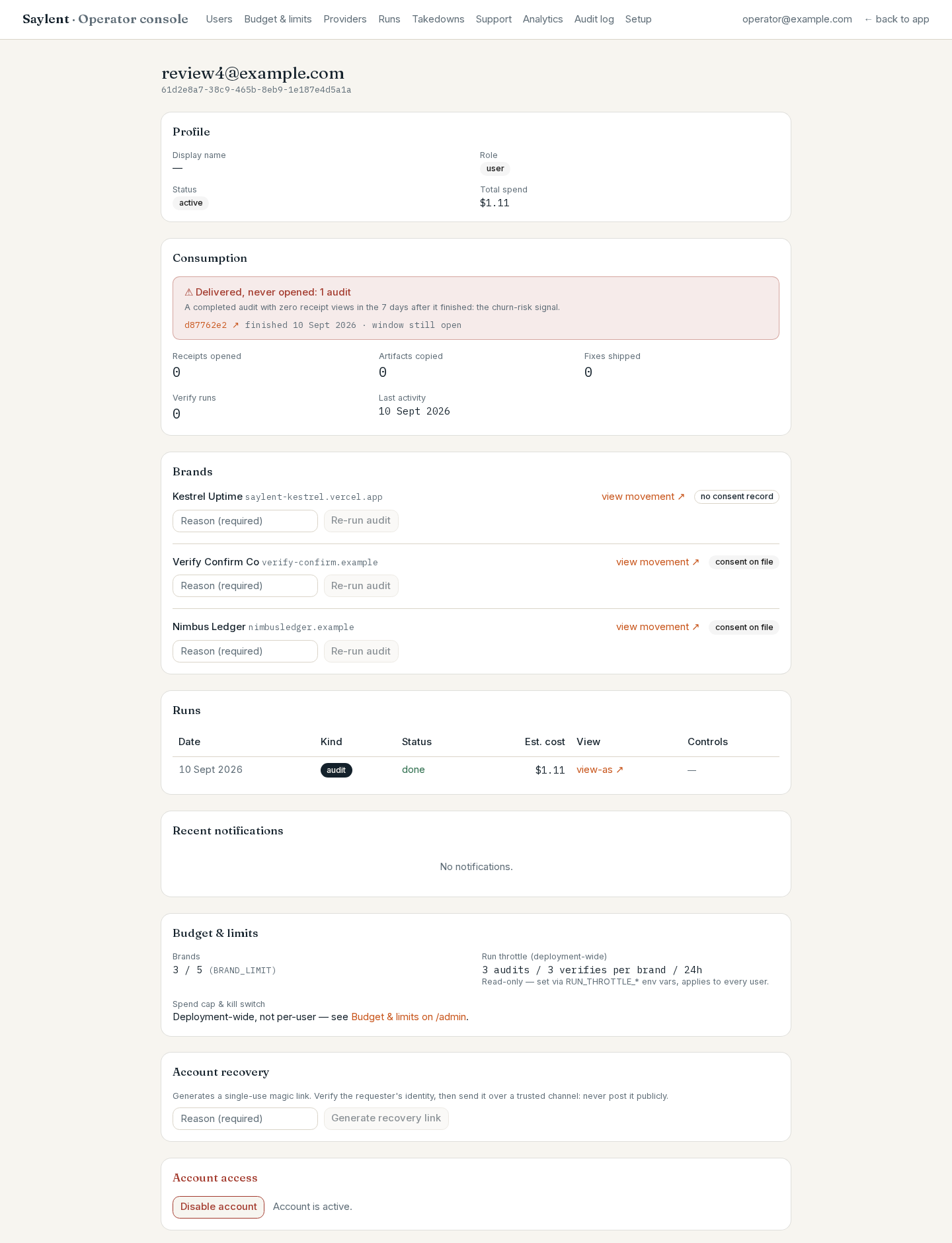
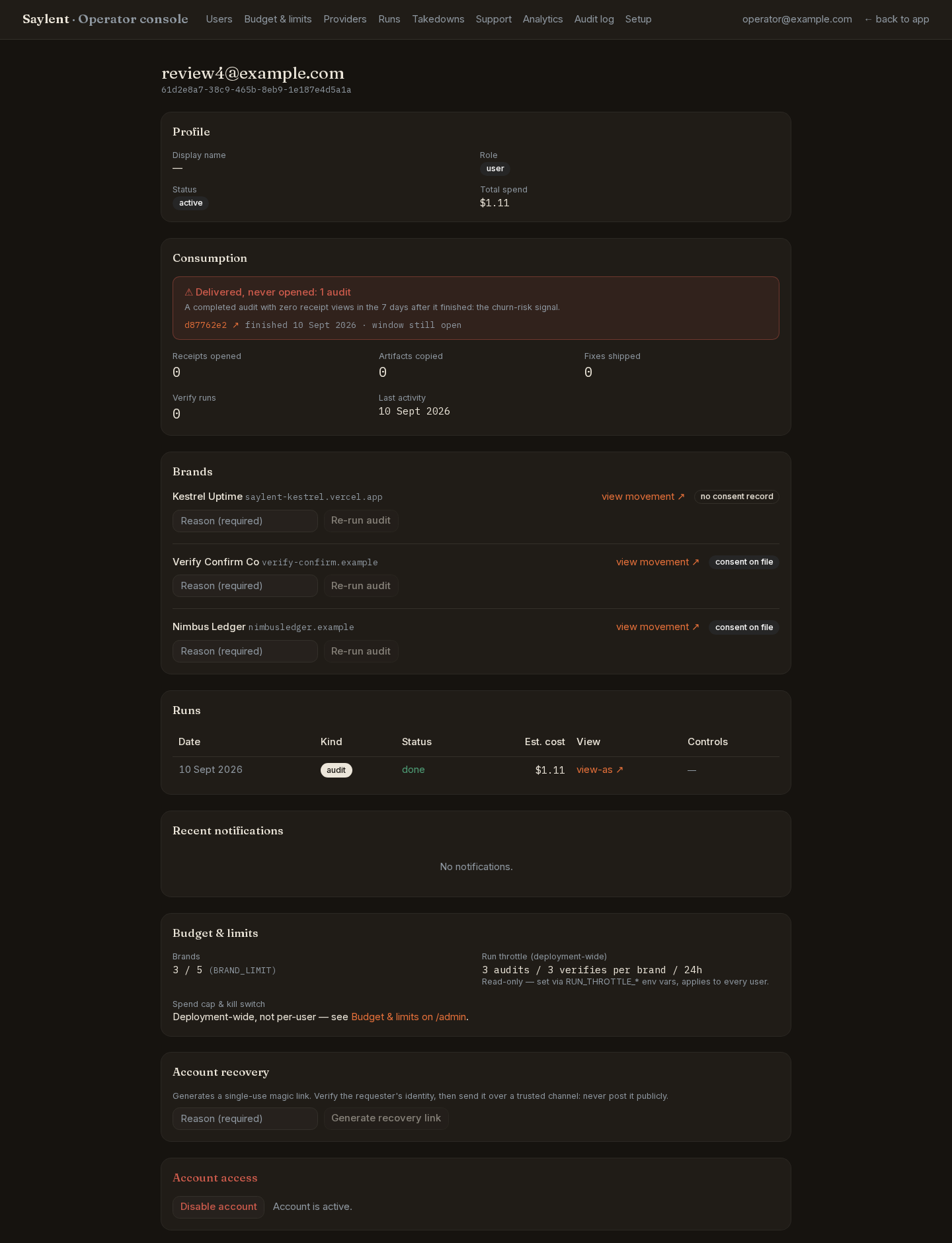
Clicking an email opens /admin/users/<id>:
- Profile - display name, role, active or disabled, total spend.
- Consumption - receipts opened, artifacts copied, fixes shipped, verify runs, last activity. Above it, a warning when an audit finished and was never opened in the following seven days, which is the churn signal.
- Brands - each with its consent record, a link to that brand's movement page, and a Re-run audit button.
- Runs - the last 50, each with a view-as link for finished audits and the run controls described below.
- Recent notifications - what the app told them.
- Budget and limits - their brand count against
BRAND_LIMITand the deployment-wide throttle, read-only. - Account recovery - generates a fresh magic link without emailing it. Verify who you are talking to first, then send the link over a channel you trust. It is single-use and short-lived.
You open a single account and see everything you owe that person an answer about, end to end.
Disabling an account
Disable account bans the account in the auth layer, which stops sign-in
immediately. Nothing is deleted: their brands, runs and reports stay exactly
as they are, and Enable account puts it back. The action is audit-logged
as account.disable or account.enable, and if that audit write fails the
ban is reverted, so a state change never exists without its record.
Signup itself is open to anyone who can reach the URL. See Users and access for what that means and how to limit it.
Runs
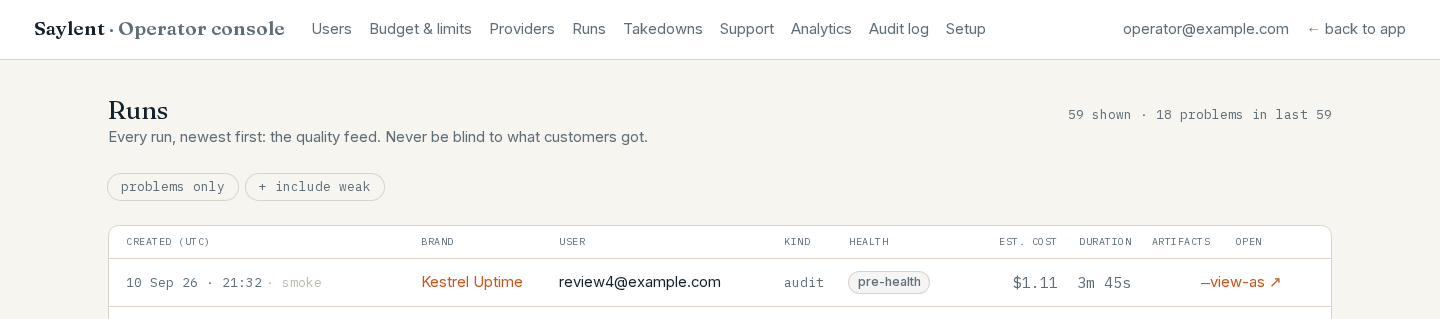
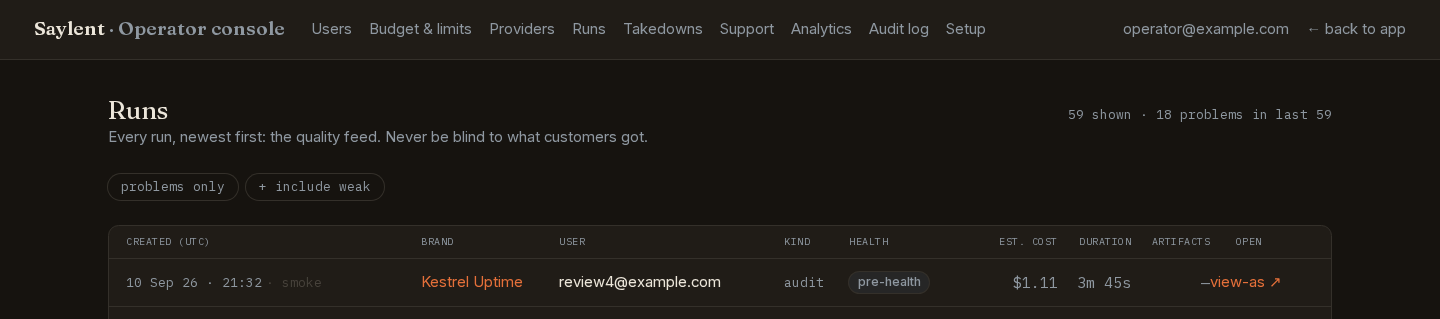
/admin/runs is the quality feed: every run on the deployment, newest first,
capped at 100. Each row carries the created time, brand, user, kind, a health
badge, estimated cost, duration, how many fix artifacts were drafted out of
how many were planned, and a view-as link for finished audits.
The health badge is read from what the pipeline's final step wrote. It is never re-derived here:
| Badge | Meaning |
|---|---|
ok | The run delivered what it should have |
weak | A thin product outcome, not a bug. Kept separate from problems on purpose |
degraded | Something in the pipeline under-delivered |
failed | Terminal failure. Always wins over anything the health record says |
queued, running | Still in flight; health is written only at the end |
pre-health | A run from before health records existed. Shown honestly rather than given a guessed grade |
Two filters sit above the table: problems only (degraded and failed), and + include weak, which adds the weak rows to that view.
You watch every run anyone started - what it cost, how long it took, whether it came back healthy - and open any one of them as its owner saw it.
This page is read-only. It creates nothing, writes nothing, and leaves no audit entry, because looking is not an action.
Re-run, retry, mark failed
The three run controls live on the user's page, /admin/users/<id>, which the
feed's user column links to. Each one requires a typed reason, and the reason
is stored.
- Re-run audit (on a brand) starts a fresh audit for that user through the
same
createRunpath a user's own button uses, so the kill switch, the spend ceiling and the throttles all still apply. It spends money. Logged asrun.rerun. - Retry appears only on a run whose status is
failed. It re-dispatches that run, re-checking every budget guard first. Logged asrun.retry. - Mark failed appears on a run that is still queued or running. It is the
manual watchdog for a run that hung: it closes the record so the brand is
not stuck behind its one-active-run guard. It does not stop provider calls
that are already in flight. Logged as
run.mark_failed.
Support and takedowns
/admin/support is the inbox for the in-app support form at /app/support.
Open requests come first, each with the sender, the message, and whichever run
or brand the form attached automatically. Resolving one is audit-logged as
support.resolve.
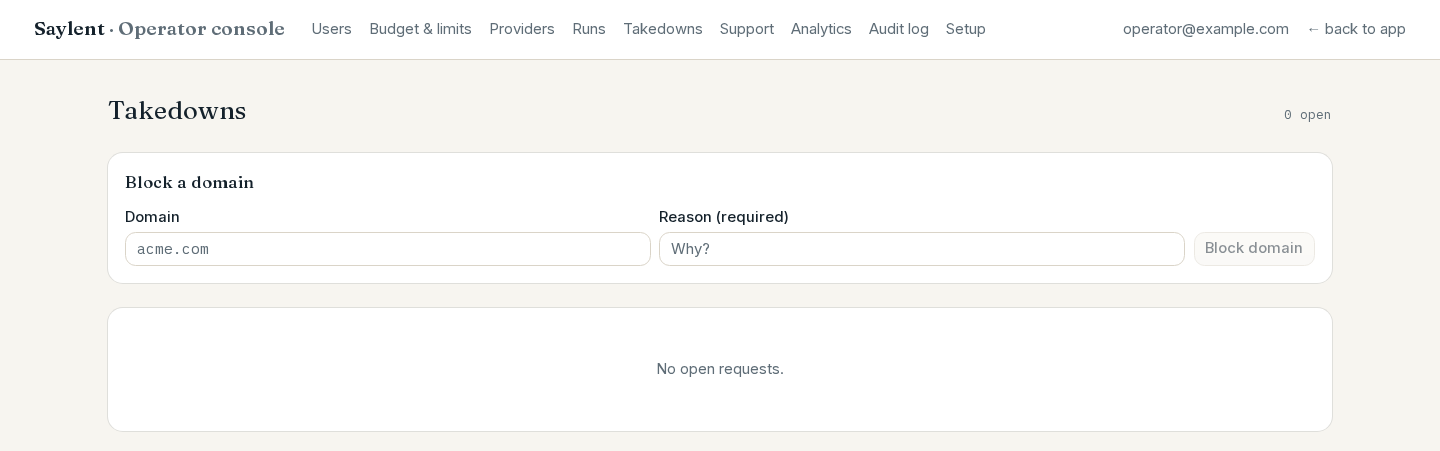
/admin/takedown is the trust-and-safety queue. Requests arrive from the
public form at /takedown, which every share page links to in its footer
("Is this about your company? Request a review"). Four actions are available,
each requiring a reason and each audit-logged:
- Unpublish share clears that run's share token. The public
/share/<token>URL stops working immediately and a new visitor gets a 404. The report itself is untouched, the owner still has it, and the owner can publish a new link - so an unpublish is a response, not a permanent block. Anyone who already saved a copy still has their copy. Logged asshare.unpublish. - Disable brand does more, in one transaction: it blocks that brand's
domain and kills every live share link the brand has. Logged as
brand.disable. - Block a domain, the form at the top of the page, adds a domain to the
blocklist on its own, without a brand attached. New brands and new runs on
that domain are refused from then on. Logged as
domain.block. - Resolve or Dismiss closes the request. Logged as
takedown.resolvedortakedown.dismissed.
You block a domain from ever being audited again on this deployment, with a reason on the record, and work the open requests.
Why this exists, and what consent an audit records, is in What gets sent to providers.
Analytics
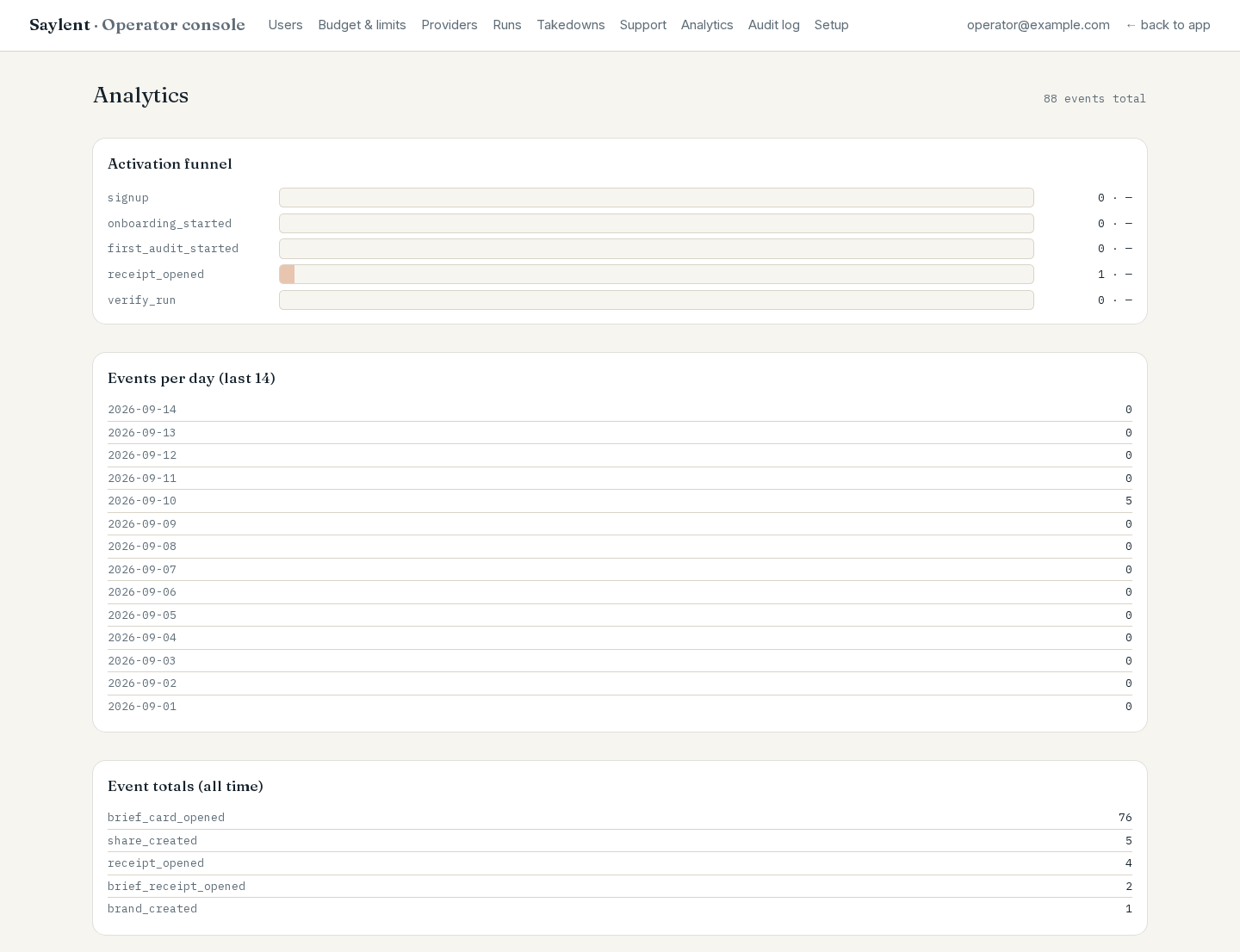
/admin/analytics is counts, not charts.
The activation funnel is computed over all history and counts distinct identities, not events, so asking twice does not count twice:
| Step | What it records |
|---|---|
signup | An account was created |
onboarding_started | They began adding a brand |
first_audit_started | They started their first audit |
receipt_opened | They opened a report and looked at the evidence behind a number |
verify_run | They shipped a fix and re-measured. This is what closing the loop looks like |
The percentage on each row is relative to signup. With no signups recorded
it reads - rather than 0%, because a step with one user in it is not
"0 percent". Steps are counted independently: an event that lands out of
order still counts, so the funnel reads honestly when instrumentation is
partial.
Below it, events per day for the last 14 days (every day present, zero filled) and event totals all time, sorted by count.
You check whether the people on this deployment actually get through the funnel - signed up, onboarded, first audit started, receipt opened, verify run.
Audit log
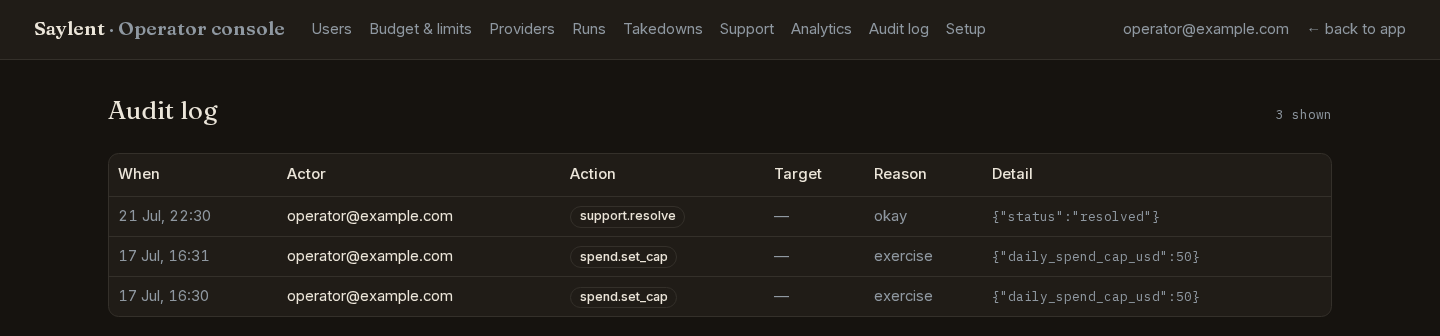
/admin/audit is the append-only trail, newest first, the last 200 entries.
Each row is when, who acted, the action, who or what it targeted, the reason
they typed, and a JSON detail blob.
You read back every operator action ever taken here - who, what, when, on whom,
and the reason they had to type - on an append-only table.
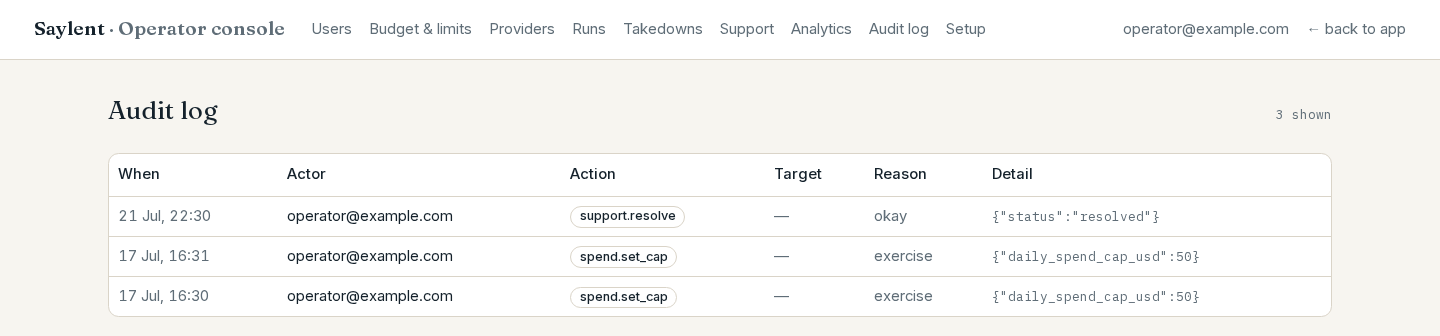
Every privileged write in the console lands here: account.disable,
account.enable, account.recovery_link, runs.pause, runs.resume,
spend.set_cap, run.rerun, run.retry, run.mark_failed,
share.unpublish, brand.disable, domain.block, takedown.resolved,
takedown.dismissed, support.resolve, provider.key_set,
provider.key_removed and provider.models_set.
Most of those actions refuse to proceed without a reason, and several of them write the state change and the audit row in the same database transaction, so one cannot exist without the other. There is no delete button on this page, and no admin action removes an entry.
Reading a page is not an action and is not logged. That includes view-as, which opens a user's report exactly as they saw it.
That is the whole console. The screens your users see are in The app, screen by screen; the variables that decide what this deployment can do are in Environment variables.